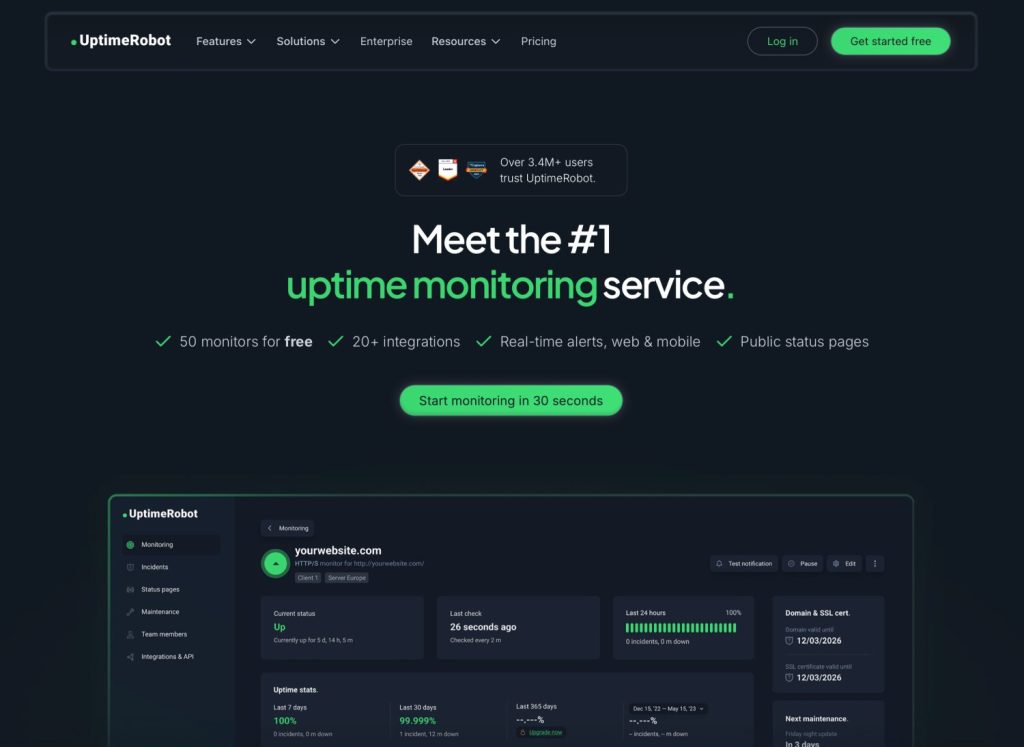
If you run websites, APIs, or any kind of online service, you know that sinking feeling when a client or user tells you something is down — before you even knew about it. That’s exactly the problem UptimeRobot was built to solve. I’ve been using it for many years, watching it evolve from a completely free tool into a more mature, feature-rich platform. In this review, I’ll walk you through everything you need to know: what it does, how well it works, what it costs, and whether it’s the right fit for your needs.

Was ist UptimeRobot?

UptimeRobot ist ein cloudbasierter Uptime-Monitoring-Service, der prüft, ob Ihre Websites, Server, APIs und andere Online-Endpunkte verfügbar sind und korrekt reagieren. Er pingt Ihre Dienste in regelmäßigen Abständen an und benachrichtigt Sie im Fehlerfall per E-Mail, SMS, Slack, Webhook oder über diverse andere Integrationen.
Mit über 3,4 Millionen Nutzern weltweit hat sich UptimeRobot als einer der bekanntesten Namen im Bereich der Überwachung etabliert – und war lange Zeit auch einer der großzügigsten, da er jedem, der sich anmeldete, einen komplett kostenlosen Tarif anbot.
Ein kleiner Einblick in meine persönliche Geschichte mit UptimeRobot
I want to be upfront: I’ve been a long-time user of UptimeRobot, going back to the days when it was entirely free for everyone. Back then, it was genuinely one of those rare tools that asked for nothing and delivered enormous value. You could monitor dozens of sites, get instant email alerts, and sleep a little easier knowing something was watching your services while you weren’t.
Im Laufe der Jahre, UptimeRobot evolved. It added more features, more integrations, and — inevitably — pricing tiers. The free plan is now reserved for non-profits and personal projects. For commercial use, you’ll need to pay. When that shift happened, I found myself building my own lightweight monitoring service (complete with SSL certificate detection) using Claude Code, because I needed something I could run on my own infrastructure without ongoing subscription costs. But I want to be clear: that’s a developer’s workaround, not something most people should need to do. For the vast majority of users — especially those who aren’t comfortable spinning up their own services — UptimeRobot remains an excellent, easy-to-use solution.
Hauptmerkmale

UptimeRobot packs a surprisingly broad feature set, especially considering how accessible it is to non-technical users. Here’s what you get across all plans:
Arten der Verfügbarkeitsüberwachung
- Website- und Endpunktüberwachung — Der klassische HTTP/HTTPS-Check. UptimeRobot sendet eine Anfrage an Ihre URL und überprüft, ob diese mit dem erwarteten Statuscode antwortet.
- Keyword-Überwachung — Checks that a specific word or phrase appears (or doesn’t appear) in the page response. Useful for catching broken deployments where the site returns a 200 OK but the content is wrong.
- Ping-Überwachung — Sends ICMP pings to a server to verify it’s reachable at the network level.
- Hafenüberwachung — Überprüft, ob ein bestimmter TCP-Port auf Ihrem Server geöffnet ist und Verbindungen akzeptiert.
- Cron-Job-Überwachung — Überprüft, ob geplante Aufgaben (Cron-Jobs) tatsächlich pünktlich ausgeführt werden.
- API-Überwachung — Prüft API-Endpunkte auf korrekte Antworten.
- UDP-Überwachung — Überprüft UDP-basierte Dienste.
Überwachungsfunktionen
- Überwachung mehrerer Standorte — Überprüfungen von mehreren geografischen Standorten aus, um zwischen regionalen und globalen Ausfällen zu unterscheiden.
- Reaktionszeitüberwachung — Verfolgt, wie lange Ihr Dienst im Laufe der Zeit zum Reagieren benötigt, mit übersichtlichen historischen Diagrammen.
- SSL-Zertifikatsüberwachung — Benachrichtigt Sie vor Ablauf Ihres SSL-Zertifikats (verfügbar in kostenpflichtigen Tarifen).
- Domänenüberwachung — Überwacht die Ablaufdaten Ihrer Domains, damit Sie nie versehentlich eine Domain verfallen lassen.
- DNS-Überwachung — Erkennt unerwartete Änderungen an DNS-Einträgen.
Alarmierung und Berichterstattung
- E-Mail-Benachrichtigungen — Sofortige Benachrichtigung, wenn ein Monitor ausfällt oder sich erholt.
- Integrationen — Über 20 Integrationen, darunter Slack, PagerDuty, Zapier, Webhooks und mehr (einige Integrationstypen sind vom Tarif abhängig).
- Öffentliche Statusseiten — Erstellen Sie eine Statusseite mit Ihrem Branding, um Ihre Nutzer bei Vorfällen auf dem Laufenden zu halten.
- Vorfallmanagement — Vorfälle direkt im Dashboard protokollieren, verfolgen und beheben.
Das Dashboard-Erlebnis

Das UptimeRobot-Dashboard ist übersichtlich, im dunklen Design gehalten und sehr benutzerfreundlich. Auf einen Blick sehen Sie den Status all Ihrer Monitore: Grün bedeutet aktiv, Rot bedeutet inaktiv, Grau bedeutet pausiert. Die rechte Seitenleiste bietet eine kurze Übersicht: Wie viele Monitore aktuell aktiv, inaktiv oder pausiert sind und wie hoch Ihre Gesamtverfügbarkeit in den letzten 24 Stunden war.
The main monitor list shows each monitor’s name, current status, how long it’s been in that state, check interval, and a small uptime bar chart covering recent history. It’s efficient — you can scan 40+ monitors in seconds and know exactly where to focus.
Ein Klick auf einen einzelnen Monitor führt zu einer Detailansicht mit Reaktionszeitdiagrammen, Vorfallhistorie, Verfügbarkeitsstatistiken (aufgeschlüsselt nach 7, 30 und 365 Tagen) sowie Regionsinformationen. Die Benutzeroberfläche hat sich über die Jahre deutlich verbessert und wirkt ausgereift, ohne überladen zu sein.
One of the monitors in my account is currently showing as down (a 404 error, down for 2 months and 29 days — clearly a deprecated endpoint I haven’t cleaned up yet). The fact that the dashboard makes this so visible is actually one of the things I appreciate: it’s hard to ignore problems when they’re flagged this clearly.
Details zum einzelnen Monitor

The per-monitor detail page is where UptimeRobot really shines for day-to-day use. Here’s what you’ll find:
- Aktueller Status — Up or down, with how long it’s been in that state.
- Zeitstempel der letzten Prüfung — Damit Sie genau wissen, wie aktuell die Daten sind.
- Betriebszeitbalken der letzten 24 Stunden — Ein grüner Balken zeigt die Betriebszeit über den Tag verteilt an.
- Verfügbarkeitsstatistiken — Letzte 7 Tage, letzte 30 Tage und letzte 365 Tage (wobei der Jahreswert nur bei kostenpflichtigen Abonnements verfügbar ist).
- MTBF (Mittlere Zeit zwischen Ausfällen) — Nützlich, um zu verstehen, wie zuverlässig ein Dienst im Laufe der Zeit ist.
- Reaktionszeitdiagramm — Ein Diagramm mit Live-Aktualisierung zeigt die durchschnittlichen, minimalen und maximalen Reaktionszeiten an. In meinem Fall liegt die durchschnittliche Reaktionszeit eines Monitors bei etwa 740 ms, mit einem Maximum von 781 ms.
- Ablauf von Domain und SSL-Zertifikat — Sichtbar in kostenpflichtigen Tarifen, zeigt an, wann Ihre Domain und Ihr SSL-Zertifikat ablaufen.
- Regionen — An welchen geografischen Standorten werden die Überprüfungen durchgeführt?.
- Wartungsfenster — Schedule planned downtime so you don’t get false alarms during deployments.
The response time graph is particularly useful for diagnosing intermittent performance issues. If your site doesn’t go fully down but periodically slows to a crawl, this data will show it clearly.
Pricing: What You’ll Actually Pay

This is where things have changed most significantly from UptimeRobot’s early days. Here’s the current pricing structure (annual billing, which saves approximately 15% over monthly):
Kostenloser Plan
Der kostenlose Tarif ist jetzt speziell für gemeinnützige Organisationen und persönliche Projekte. Es beinhaltet:
- Bis zu 50 Monitore
- 5-Minuten-Überwachungsintervalle
- E-Mail-Benachrichtigungen
- Öffentliche Statusseiten
- Grundlegende Integrationen
If you genuinely qualify for the free plan, it’s an exceptional deal. 50 monitors with 5-minute checks is more than enough for most personal projects or small non-profit websites.
Solo — 9 €/Monat
- 10 Monitore (skalierbar)
- +1 Überwachung durch Drittanbieterdienste
- 60-Sekunden-Überwachungsintervalle
- Alle Monitortypen einschließlich SSL & DNS
- 3 Statusseiten mit benutzerdefinierter Domain
- 12-monatige Datenaufbewahrung
The Solo plan is aimed at freelancers and small site owners. The jump from 5-minute to 60-second checking intervals is significant — you’ll catch outages much faster.
Team — 35 €/Monat (Am beliebtesten)
- 100 Monitore
- +20 Drittanbieter-Servicemonitore
- 30-Sekunden-Überwachungsintervalle
- 3 Sitzplätze inklusive
- 100 Statusseiten, White-Label-Lösung
- Webhook-, Zapier- und PagerDuty-Integrationen
The Team plan is the sweet spot for small agencies or development teams running production services. The 30-second interval means you’re never more than half a minute away from knowing about a problem.
Skala — 65 €/Monat
- 200 Monitore (skalierbar auf 500)
- +40 Drittanbieter-Servicemonitore
- 15-Sekunden-Überwachungsintervalle
- 5 Sitzplätze inklusive
- Unbegrenzte Statusseiten
Unternehmen – Individuelle Preisgestaltung
- Beliebige Anzahl an Monitoren, die Sie benötigen
- Individuell anpassbare und schnellere Überwachungsintervalle
- Persönlicher Customer Success Manager + privater Slack-Kanal
- SOC 2, DPA, MSA & Sicherheitsüberprüfung
- SLA + Premium-Onboarding
- Individuelle Rechnungsstellung
Was UptimeRobot besonders gut kann
Einfache Einrichtung
Adding a new monitor takes about 30 seconds. You paste in a URL, choose your check interval, select your notification contacts, and you’re done. There’s no complex configuration, no YAML files, no server setup. This is genuinely one of the easiest monitoring tools to get started with, which is why it’s so popular with non-developers.
Zuverlässigkeit
In my years of using UptimeRobot, I’ve found its monitoring to be consistently reliable. The checks happen when they’re supposed to, the alerts arrive promptly, and false positives are rare. That’s ultimately the most important thing you can say about a monitoring service.
Die kostenlose Stufe (für Berechtigte)
If you’re running a personal project or a non-profit, 50 monitors with 5-minute checks and email alerts is genuinely generous. Most personal projects don’t need sub-minute monitoring — knowing within 5 minutes that something is down is more than sufficient.
Statusseiten
UptimeRobot’s public status pages are clean, professional, and easy to set up. Being able to point users to a status page during an incident is enormously helpful for managing communication and reducing support tickets. White-label status pages (on Team and above) let you host them on your own domain.
Überwachung von Drittanbieterdiensten
The third-party monitors feature is relatively new and genuinely useful. You can monitor services like Cloudflare, AWS, and Microsoft 365 to see if problems with your site might actually be caused by upstream providers rather than your own infrastructure. This kind of context is invaluable when debugging incidents. Speaking of Cloudflare, if you’re managing security settings there, you might also want to check out how to Verwenden Sie auf Cloudflare einen Passkey anstelle einer Authentifizierungs-App. für eine bessere Kontosicherheit.
What UptimeRobot Doesn’t Do as Well
Der Wandel weg vom universellen freien Zugang
The biggest complaint most long-time users have is the removal of universal free access for commercial use. I understand the business reasoning — running a monitoring infrastructure at scale costs real money — but it does represent a meaningful shift from what made UptimeRobot special in the first place. For commercial projects, you’ll need to pay, and that’s a legitimate consideration when comparing it to alternatives.
SSL- und Domainüberwachung in kostenlosen Tarifen
Die Überwachung des Ablaufs von SSL-Zertifikaten ist derzeit nur in kostenpflichtigen Tarifen verfügbar. Dabei handelt es sich wohl um eine der wichtigsten Warnfunktionen überhaupt – ein abgelaufenes SSL-Zertifikat führt genauso sicher zum Ausfall Ihrer Website wie ein Serverabsturz – und es wäre wünschenswert, wenn diese Funktion auch in der kostenlosen Version enthalten wäre. Als ich beschloss, mein eigenes Überwachungssystem zu entwickeln, war die SSL-Erkennung tatsächlich die Funktion, die ich unbedingt integrieren wollte.
Jährliche Datenaufbewahrung an kostenpflichtige Tarife gebunden
The free tier doesn’t retain data for 12 months, which limits your ability to do long-term trend analysis. If you want to understand seasonal patterns in your uptime or response times, you’ll need at least the Solo plan.
Wie UptimeRobot im Vergleich zu selbstgehosteten Alternativen abschneidet
If you’re a developer comfortable with setting up your own infrastructure, there are self-hosted alternatives worth knowing about — tools like Uptime Kuma, for instance, can be run on your own server for free. I ended up building my own lightweight monitoring script with SSL detection using Claude Code, and I’ve been happy with it for my personal infrastructure needs.
However, self-hosting comes with its own overhead: you need to maintain the server, keep the software updated, make sure the monitoring service itself doesn’t go down, and handle your own alerting pipeline. For most people — and for any team environment — the convenience, reliability, and professional features of UptimeRobot Die Vorteile überwiegen die Kosten eines Abonnements bei Weitem. Ein paar Euro oder Dollar pro Monat sind im Vergleich zu den Kosten eines längeren Ausfalls verschwindend gering.
If you’re looking at other tools in the developer services space, you might also find our review of Claude Code Pro Plan useful, especially if you’re considering building any custom tooling of your own.
Für wen ist UptimeRobot geeignet?
Persönliche Projekte und gemeinnützige Organisationen
Wenn Sie die Voraussetzungen für den kostenlosen Tarif erfüllen, ist die Entscheidung ein Kinderspiel. Registrieren Sie sich, fügen Sie Ihre Websites hinzu, richten Sie E-Mail-Benachrichtigungen ein und schon können Sie sich entspannt zurücklehnen. Das 5-Minuten-Prüfintervall ist völlig ausreichend, und 50 Monitore reichen für die meisten privaten Setups vollkommen aus.
Freiberufler und kleine Agenturen
The Solo or Team plan makes a lot of sense here. If you’re managing sites for clients, having a reliable monitoring service lets you catch and fix problems proactively — often before the client even notices. That kind of responsiveness builds trust and justifies your retainer fees. The cost is easily recoverable in a single avoided client complaint.
Kleine bis mittlere Entwicklungsteams
Der Team-Plan für 35 €/Monat bietet ein hervorragendes Preis-Leistungs-Verhältnis für Teams, die Produktionsdienste betreiben. 100 Monitore, 30-Sekunden-Intervalle, PagerDuty-Integration und anpassbare Statusseiten decken alles ab, was die meisten kleinen Entwicklerteams benötigen.
Anwendungsfälle für Unternehmen und große Datenmengen
For large organizations with compliance requirements, the Enterprise plan’s SOC 2 documentation, dedicated CSM, and SLA guarantees make UptimeRobot eine glaubwürdige Wahl auch in regulierten Umgebungen.
Wer könnte sich woanders umsehen?
If you’re a developer who wants full control, can manage your own infrastructure, and doesn’t want a recurring subscription, a self-hosted solution might suit you better. Similarly, if your primary need is APM (Application Performance Monitoring) with code-level tracing and distributed tracing, UptimeRobot isn’t trying to be that tool — you’d want something like Datadog or New Relic instead.
Kurzfassung: Vor- und Nachteile
Pros
- Extrem einfach einzurichten und zu bedienen
- Großzügiges Gratisangebot für private Projekte und gemeinnützige Organisationen (50 Monitore)
- Große Auswahl an Monitortypen (HTTP, Keyword, Ping, Port, Cron, API, UDP)
- Sauberes, gut gestaltetes Armaturenbrett
- Die Überwachung mehrerer Standorte hilft bei der Identifizierung regionaler Probleme.
- Überwachung von Drittanbieterdiensten für Upstream-Anbieter
- Gute Funktionalität der Statusseite
- Mehr als 20 Integrationen, darunter Slack, PagerDuty und Zapier.
- Langjähriger, zuverlässiger Service mit Millionen von Nutzern
Cons
- Für die kommerzielle Nutzung ist ein kostenpflichtiger Tarif erforderlich (nicht mehr allgemein kostenlos).
- SSL- und Domainüberwachung sind nur in kostenpflichtigen Tarifen verfügbar.
- Jährliche Datenspeicherung nur bei kostenpflichtigen Tarifen
- Domain- und SSL-Überwachung ist in der kostenlosen Version nicht verfügbar.
- Kein Ersatz für vollständige APM- oder verteilte Tracing-Tools
Fazit: Immer noch einer der Besten seiner Klasse
Nach all den Jahren, UptimeRobot remains one of the best uptime monitoring services available. It’s not the cheapest option if you’re paying for it commercially, and I’ll be honest that the shift away from universal free access was disappointing. But it’s easy to use, genuinely reliable, packed with useful features, and reasonably priced for what it delivers.
If you qualify for the free plan — non-profit or personal project — sign up immediately. There’s genuinely no reason not to. If you’re a freelancer or small agency, the Solo or Team plan will quickly pay for itself the first time you catch an outage before your client does. And if you’re a developer who wants to build your own solution, that’s a valid path too — though be prepared to invest real time in making it robust.
For most people who want easy, reliable, “set it and forget it” monitoring without needing to manage any infrastructure, UptimeRobot ist die Antwort. Es hat sich seinen Ruf über viele Jahre erworben und verdient ihn auch weiterhin.
And if you’re thinking more broadly about the tools and services you use to manage your online presence, you might also find it worthwhile to think about where your domains are registered — check out our guide to the günstigste .co.uk-Domain-Registrare to make sure you’re not overpaying there either.
Letzte Aktualisierung: 15. Oktober 2026
 Deutsch
  English
  Nederlands
  Français
  Español
  Italiano
  Svenska