
Mac users are known for appreciating good design and efficiency. When it comes to productivity, the ecosystem is filled with tools that look great and work seamlessly. However, having too many tools can sometimes be a distraction in itself.
The Pomodoro Technique—working in focused 25-minute sprints—is one of the best ways to cut through the noise. But to make it stick, you need an app that feels like a natural part of your macOS experience, not a clunky add-on.
Whether you want a timer that sits quietly in your menu bar or a full-featured productivity suite, here are the best Pomodoro apps for macOS.
1. Flow
Best For: Minimalists who love native Apple design.
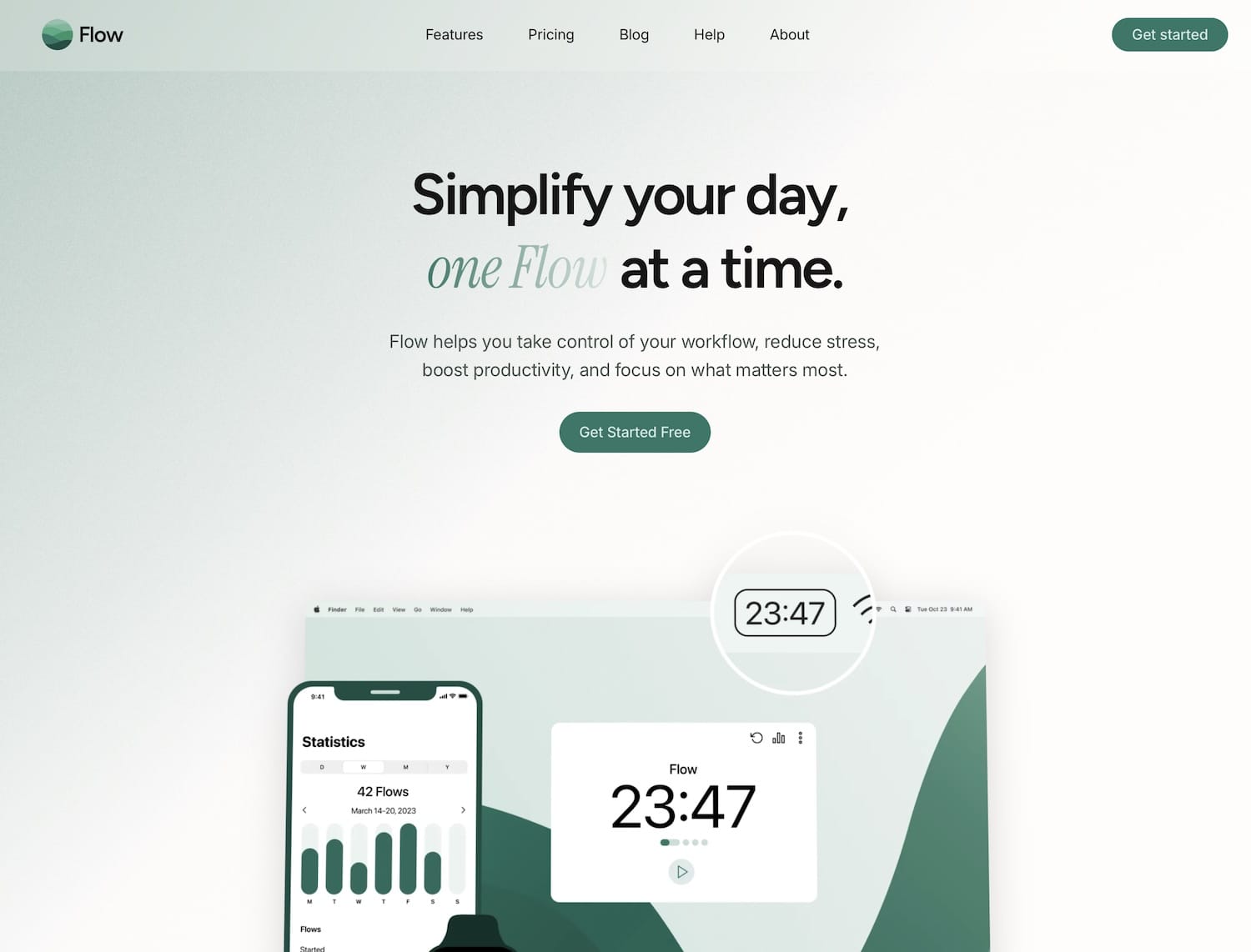
If you want an app that feels like Apple built it themselves, Flow is the top contender. It is a lightweight menu bar app that keeps your focus sessions simple. It offers a clean interface, customizable timer durations, and the ability to block distracting websites (like social media) while the timer is running.
The free version is robust, but the Pro version unlocks detailed statistics and CSV exports.
- Key Feature: Website blocking and a beautiful, unobtrusive UI.
- Price: Free (Pro upgrade available).
- Link: Flow for Mac
2. Session
Best For: Analytics nerds and power users.
Session is perhaps the most modern and feature-rich Pomodoro timer on the Mac App Store right now. It goes beyond simple timing by encouraging you to define exactly what you are working on and to reflect on your progress after the session ends.
It integrates with your Calendar (to block out time) and even works with Apple Shortcuts to automate your “Do Not Disturb” modes.
- Key Feature: “Reflective” tracking and deep Calendar integration.
- Price: Free (Subscription for advanced analytics).
- Link: Session
3. Be Focused
Best For: Task management enthusiasts.
If you prefer a classic approach where your timer is directly tied to a To-Do list, Be Focused is a reliable choice. It has been a staple on the App Store for years. It allows you to create tasks, configure breaks, and track your progress over the day, week, or month.
It is excellent if you need to bill clients by hours or simply want to know which project took up most of your day.
- Key Feature: Integrated task list and goal tracking.
- Price: Free (Pro version available).
- Link: Be Focused on App Store
4. Focus
Best For: Hardcore distraction blocking.
Simply named Focus, this app is designed for people who simply cannot stop checking Twitter or Reddit. While it functions as a Pomodoro timer, its primary strength is its aggressive blocking capabilities. It can block websites and even other applications on your Mac to ensure you physically cannot procrastinate.
- Key Feature: Blocks apps and websites system-wide.
- Price: Paid subscription.
- Link: Focus
5. The Lightweight Alternative: Mindless Moments

Best For: Those who don’t want to install another app.
Sometimes, installing a dedicated application feels like too much commitment. Maybe you are on a borrowed computer, or maybe you just want to keep your hard drive clean. If you want to start a focus session immediately without visiting the App Store, a browser-based solution is your best friend.
Mindless Moments offers a dedicated Online Focus Timer that works perfectly in Safari or Chrome. It requires no download, no account creation, and no setup. You just open the tab and hit start. It is the perfect backup tool for any Mac user.
- Key Feature: Instant access via browser with zero friction.
- Price: Free.
- Try it here: Mindless Moments: Online Focus Timer
Conclusion
macOS offers some of the most beautiful productivity tools in the world. For deep integration and tracking, Session and Flow are excellent choices. However, for those moments when you just need to get work done without the hassle of software management, keeping Mindless Moments bookmarked in your browser is a smart move.
 English
  Deutsch
  Nederlands
  Français
  Español
  Italiano
  Svenska